DEREK LAURITZEN
Back to all outcomes
All Outcomes
DEREK LAURITZEN
Back to all outcomes
All Outcomes
DEREK LAURITZEN
Back to all outcomes
All Outcomes
DEREK LAURITZEN
Back to all outcomes
All Outcomes
As creative director, I led discovery and product design for Lightspeed Aviation’s companion app, turning a carbon monoxide monitor that pilots rarely reopened into a clearer, more useful flight health tool they can rely on before, during and after every flight.
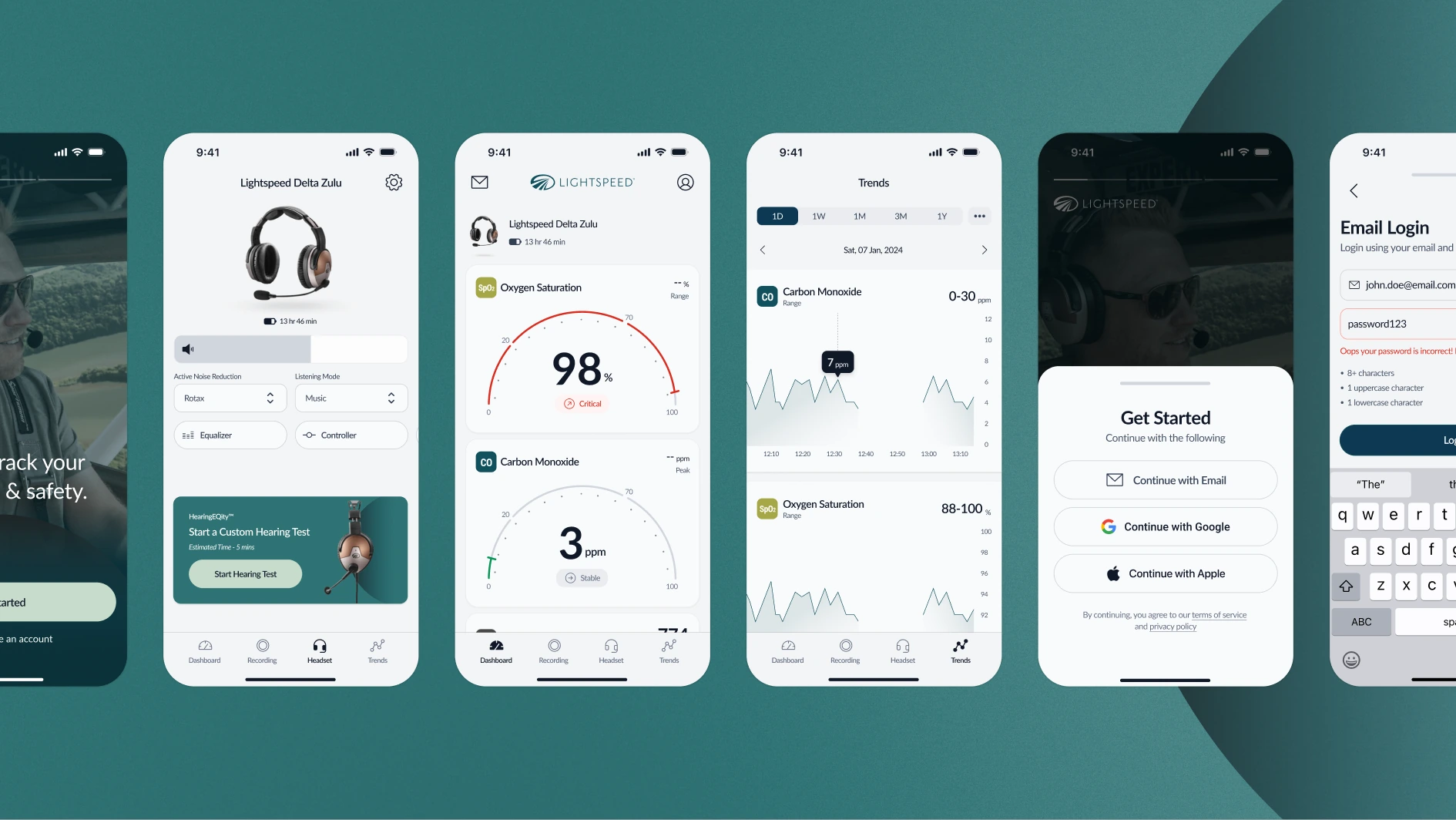
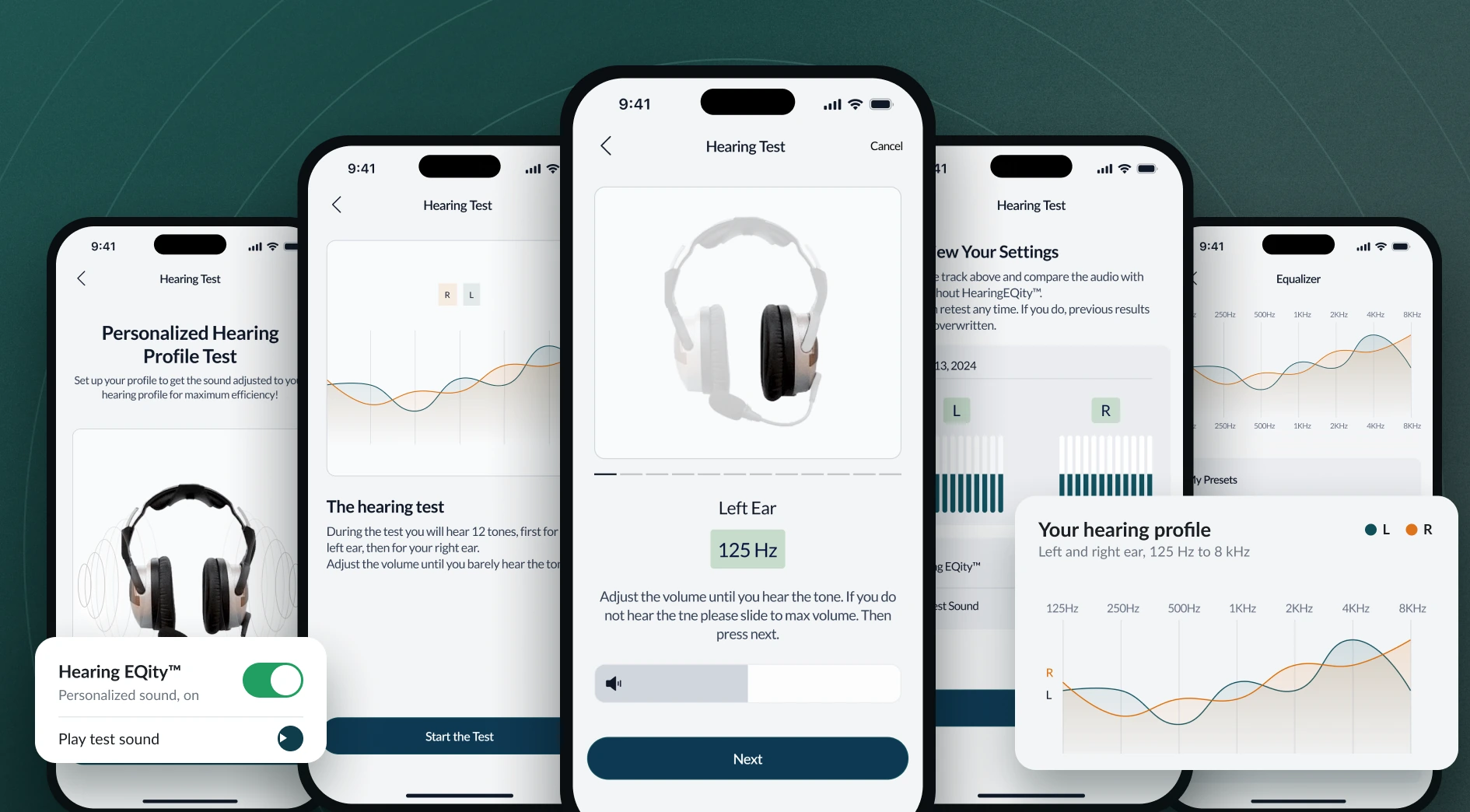
Lightspeed, a leading maker of premium aviation headsets, built carbon monoxide detection into its Delta Zulu headset, which also tunes audio to a pilot’s hearing. The companion app was meant to bring those features to life, but most pilots set it up once and rarely came back. Lightspeed wanted the opposite, an app pilots use on every flight for safety monitoring and recording. It also had to work for an audience split between pilots who want the latest tech and pilots who feel overwhelmed by it.
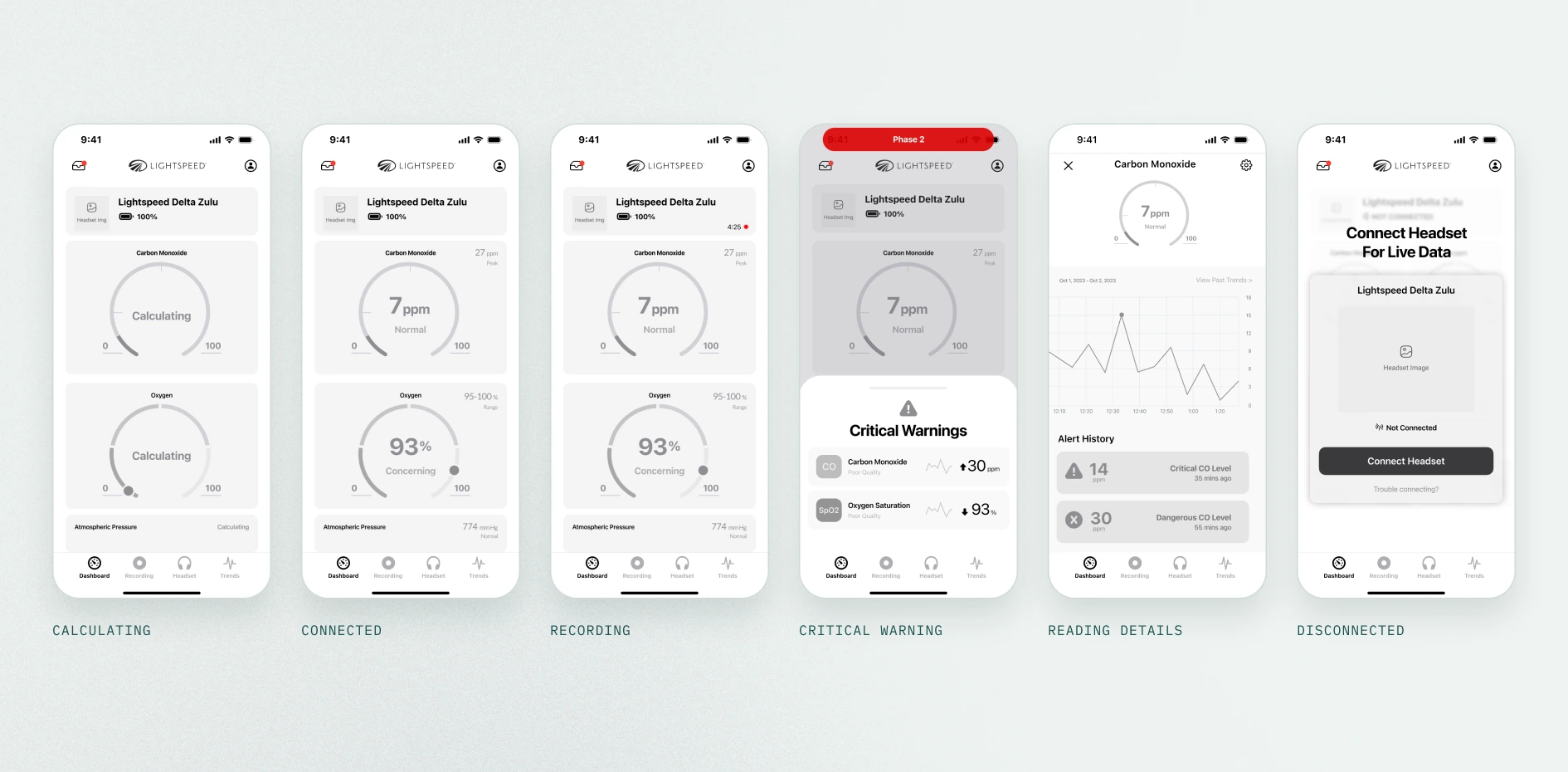
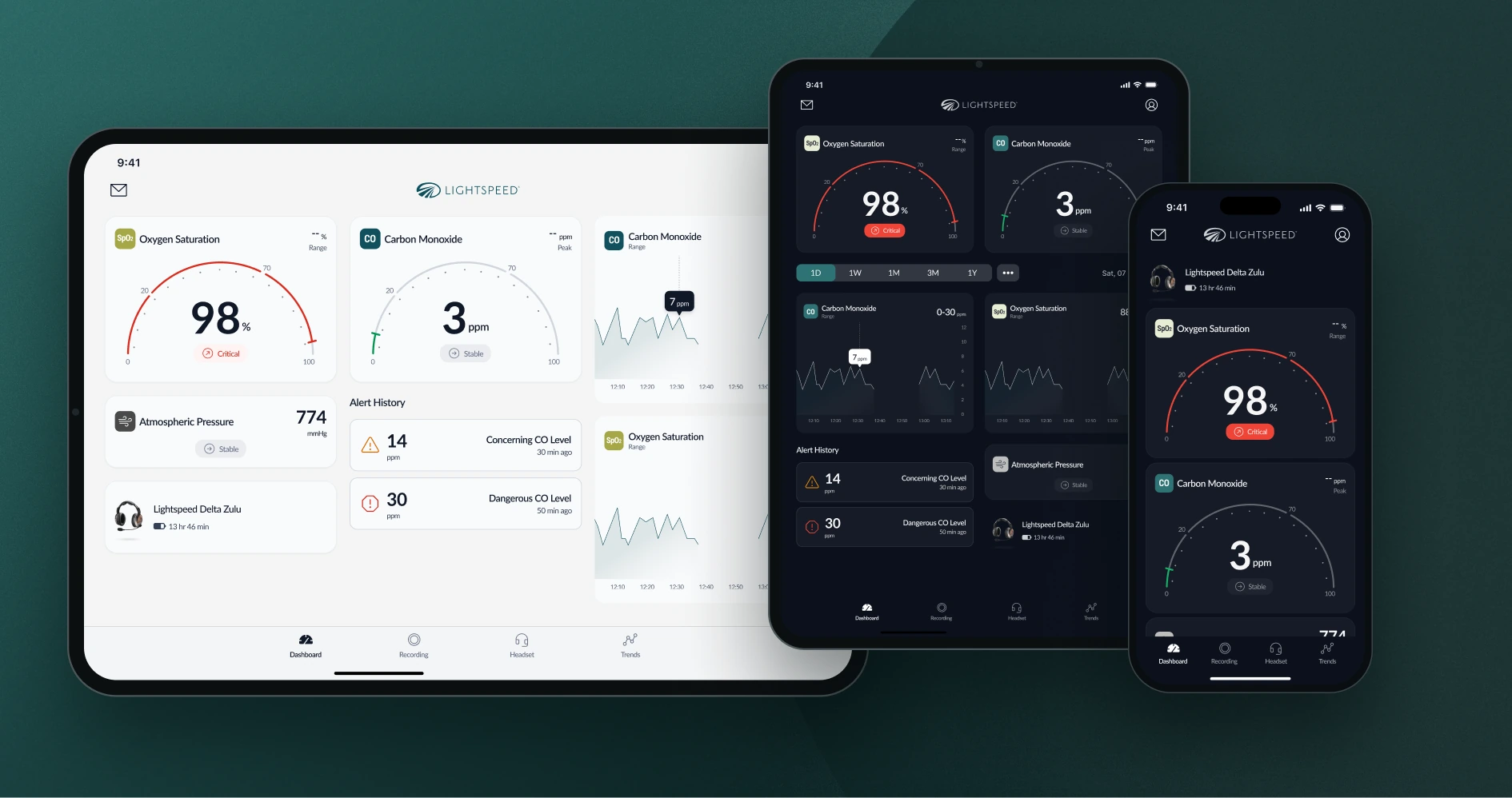
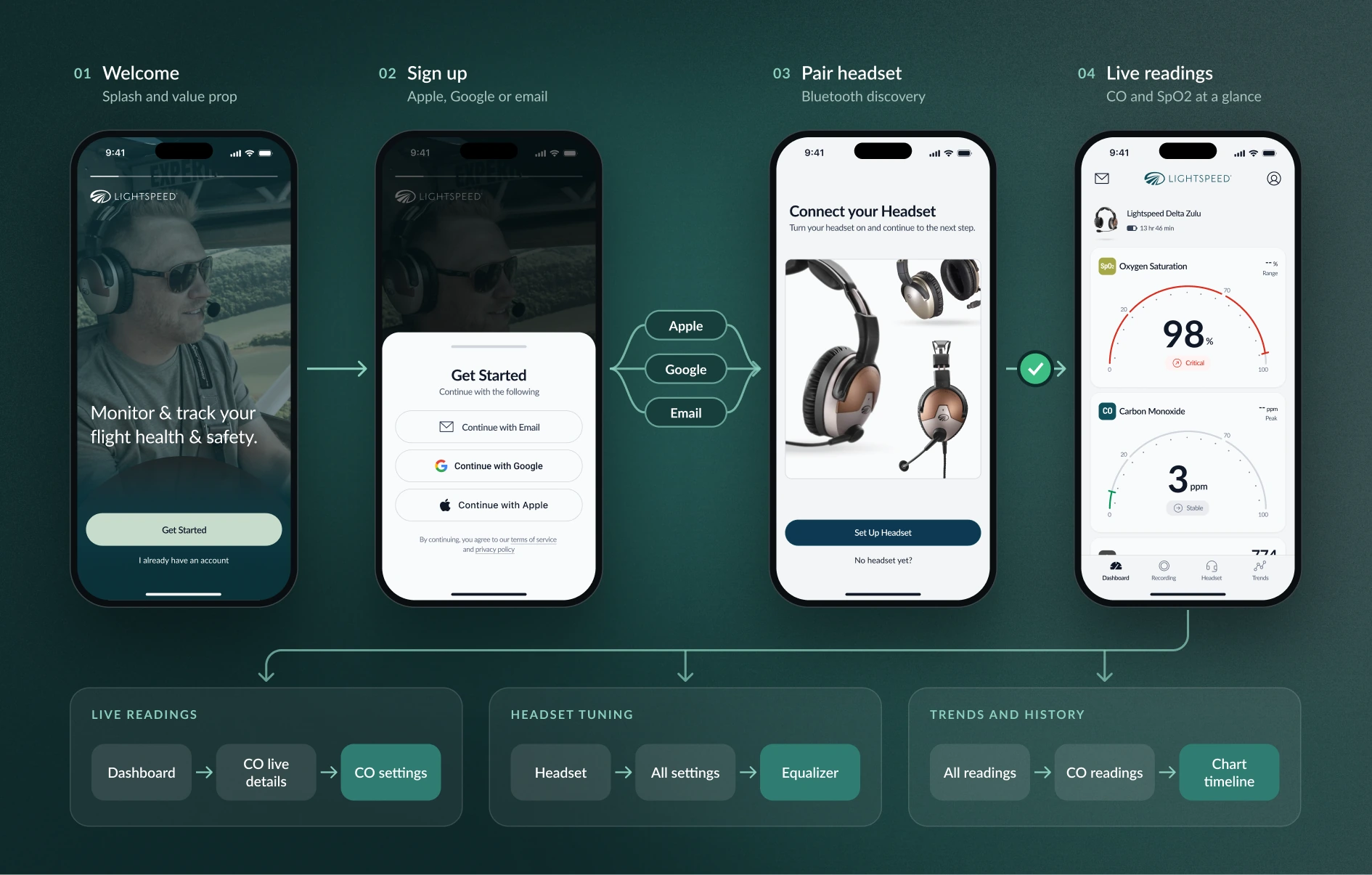
Simplicity, one of Lightspeed’s design pillars, became the test for every screen. Each one had to make clear what matters most and what to do next. Coming out of the workshop, we put the app’s depth before and after the flight and kept it to quick glances and clear warnings in the air. We designed mobile first, because phones fit a cramped cockpit and most pilots already run ForeFlight on their iPad, then scaled the system up to tablet.
Success measures: account creation, adoption during and after flights, engagement with more than one feature, positive App Store reviews and pilot health issues resolved.
Before any screens, we spent five weeks learning. We ran a kickoff and a discovery workshop with Lightspeed’s team, set up the headset and app ourselves, compared the experience with Bose, and held six interviews with pilots, Lightspeed leaders and the development team. In the workshop, we led Lightspeed’s team through mapping the pilot journey and ranking new features, and flight data trends and insights came out on top. The next seven weeks turned that into flows, wireframes, a design direction, a design system and a full requirements document.
“For the app, we want to make sure that we keep the pilot front and center.”
Engineering Leadership
“Ideal future state is customers using the app every flight for safety monitoring and flight recording.”
Marketing Leadership
“Having transmissions be efficient and clean and easy to understand is absolutely critical.”
Pilot
Problem Statement
How might we turn a setup-only utility into an app pilots open on every flight?
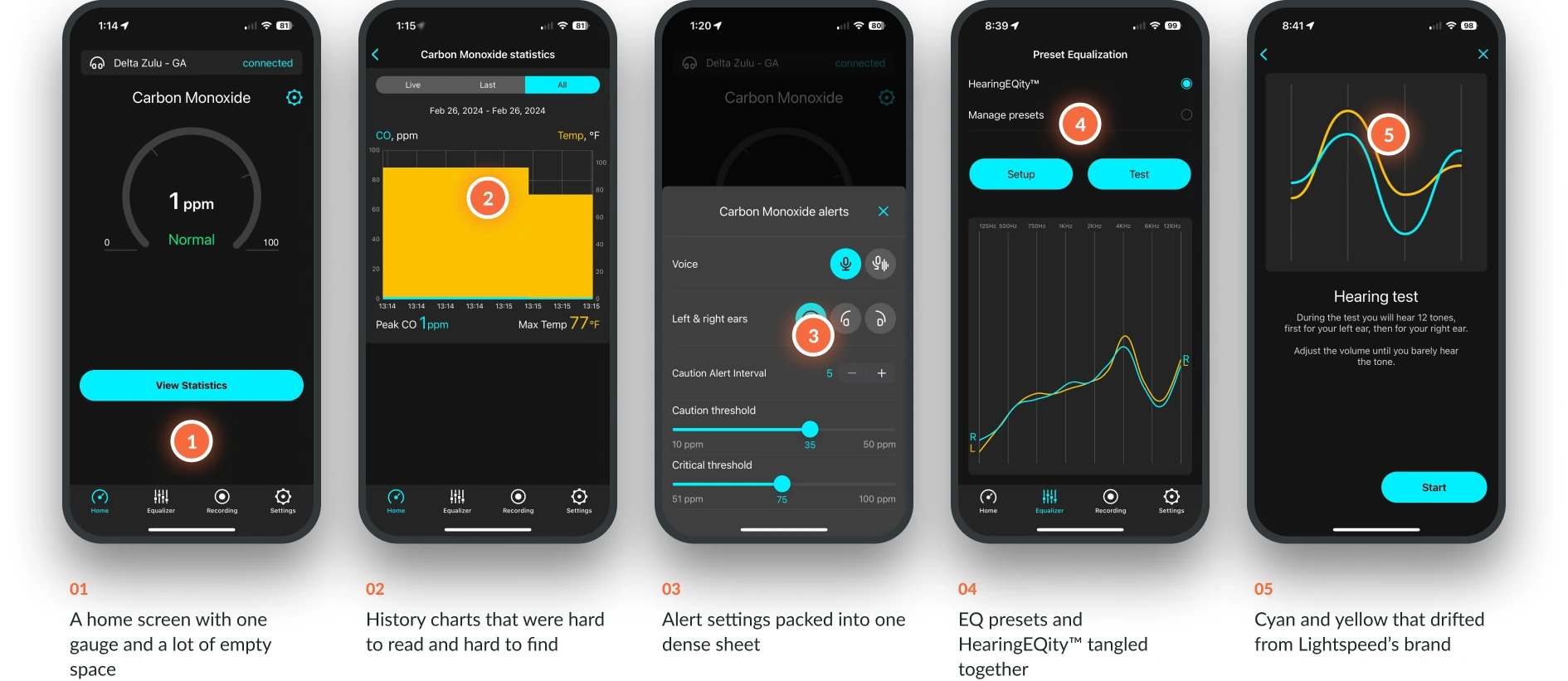
Cut the clutter, prioritize features and reveal detail only when it’s needed.
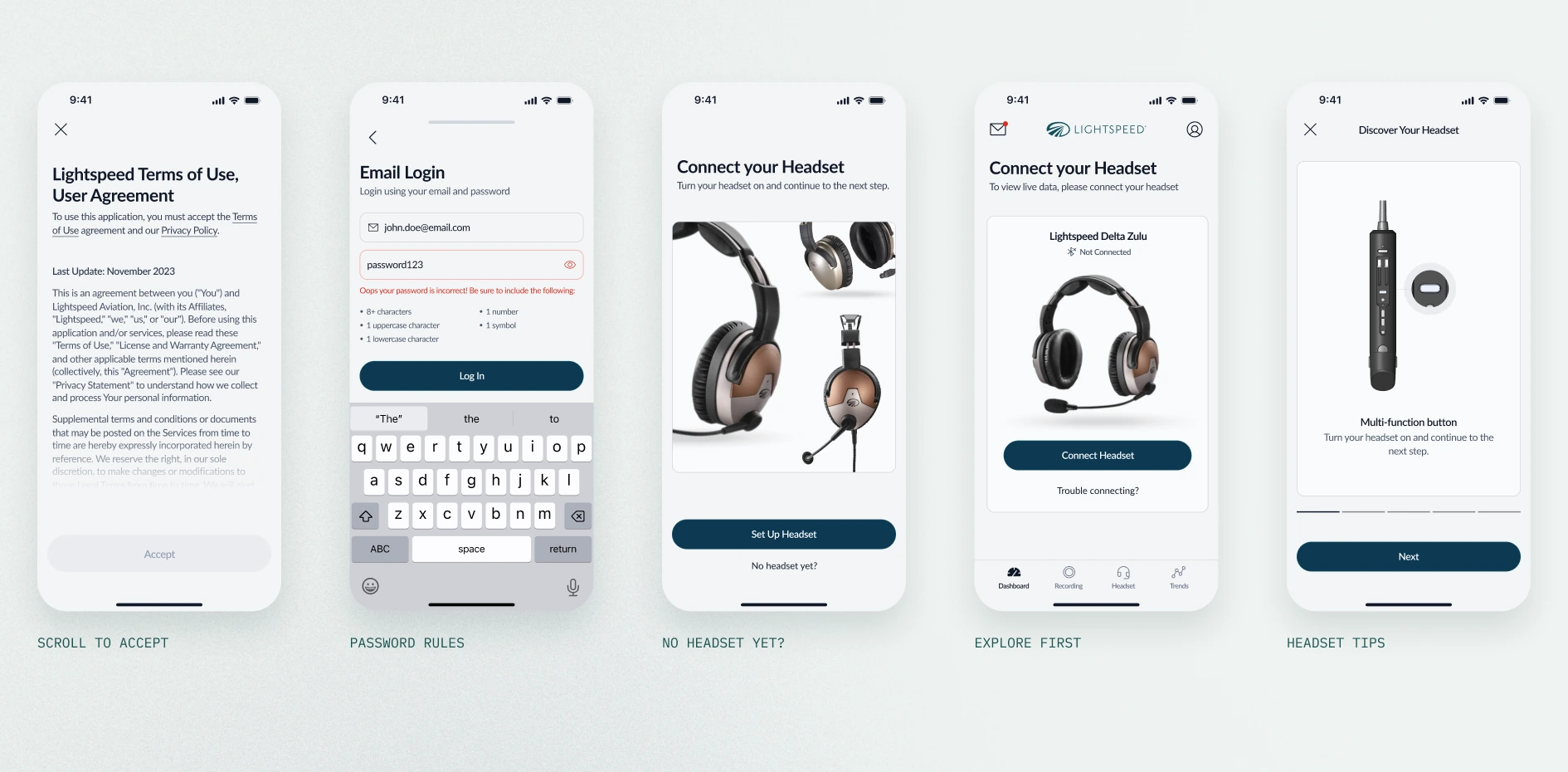
No instructions needed, never lost, and under three taps to what matters.
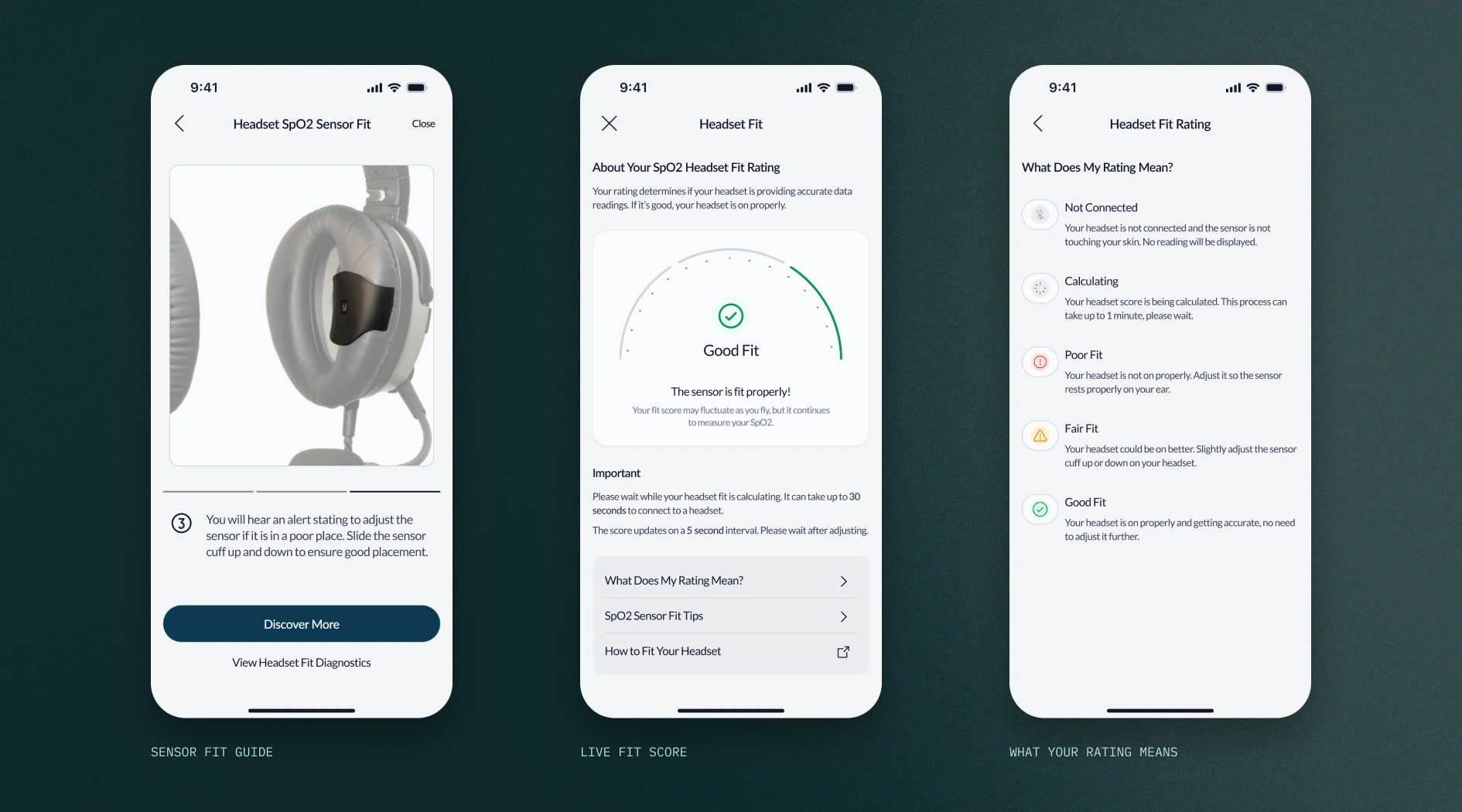
Clear critical warnings, useful notifications and honest loading states.
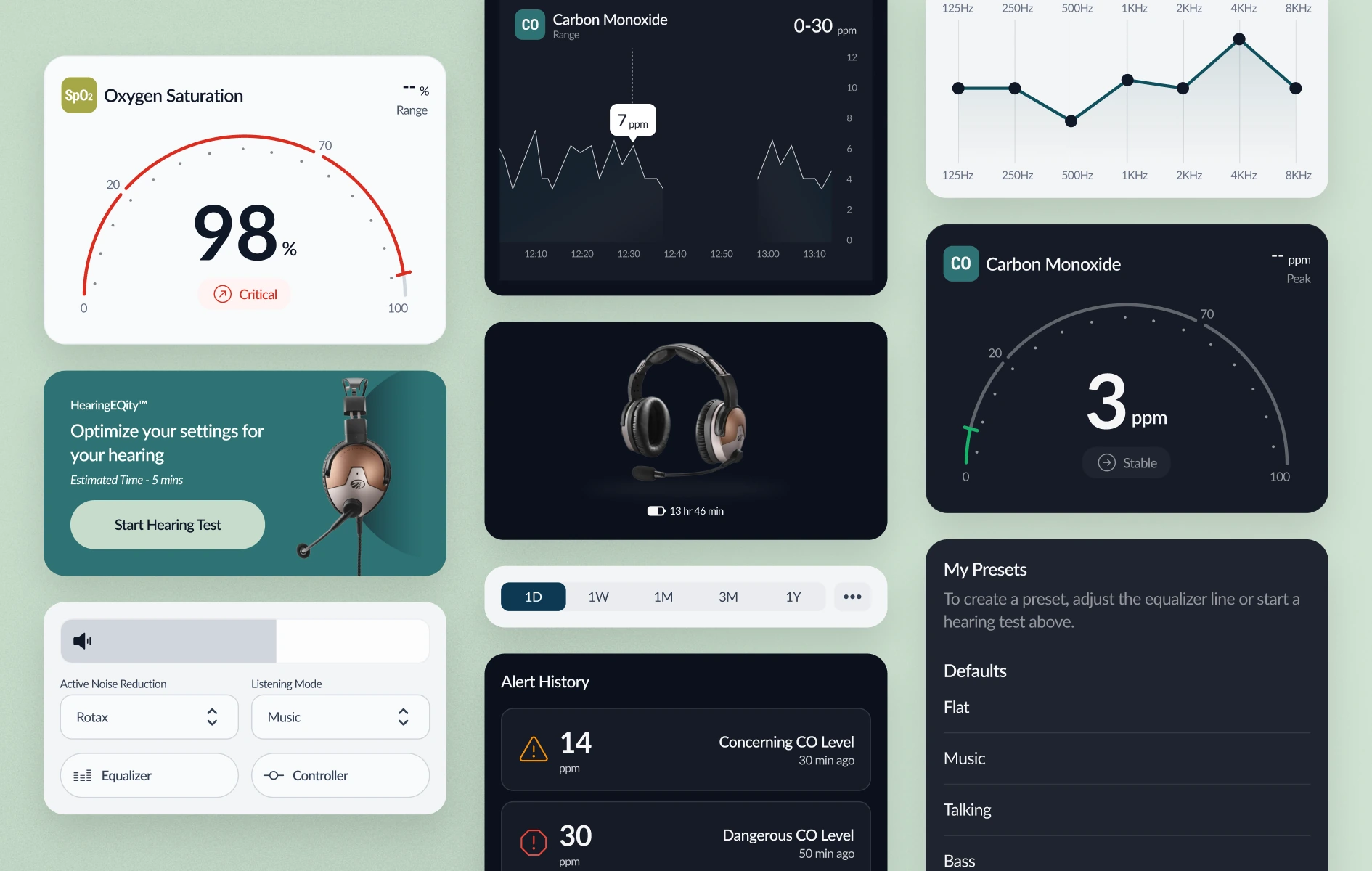
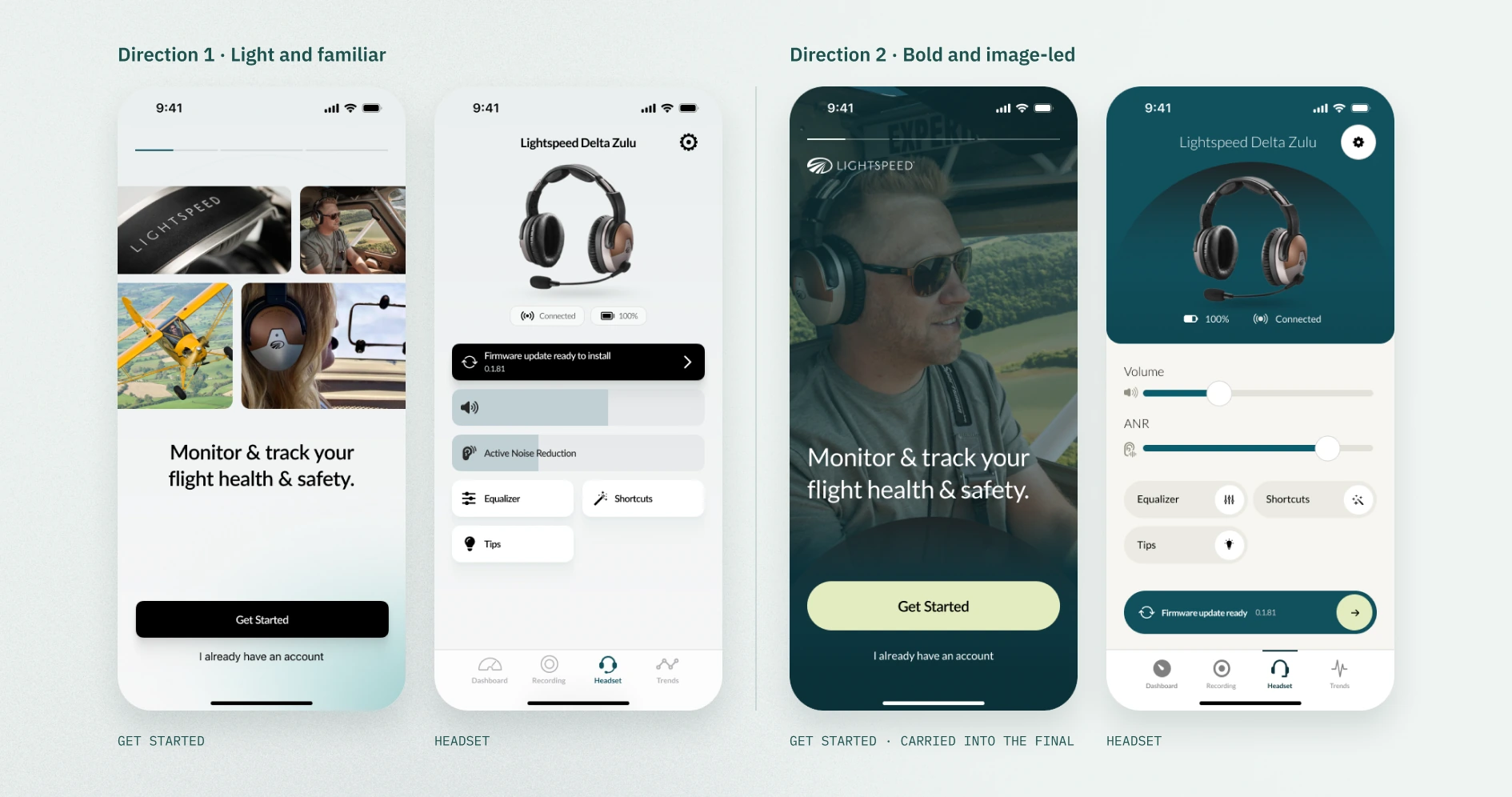
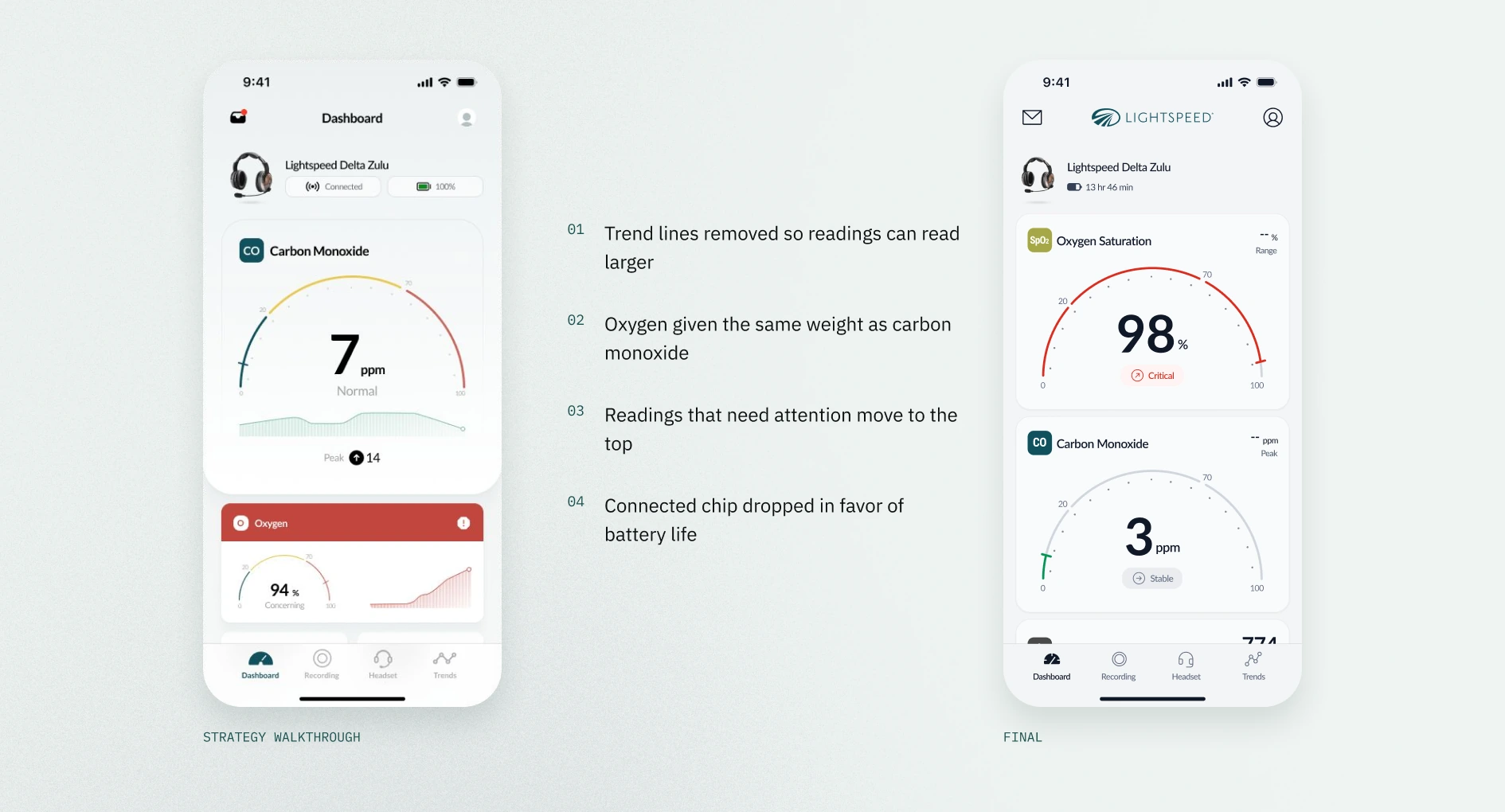
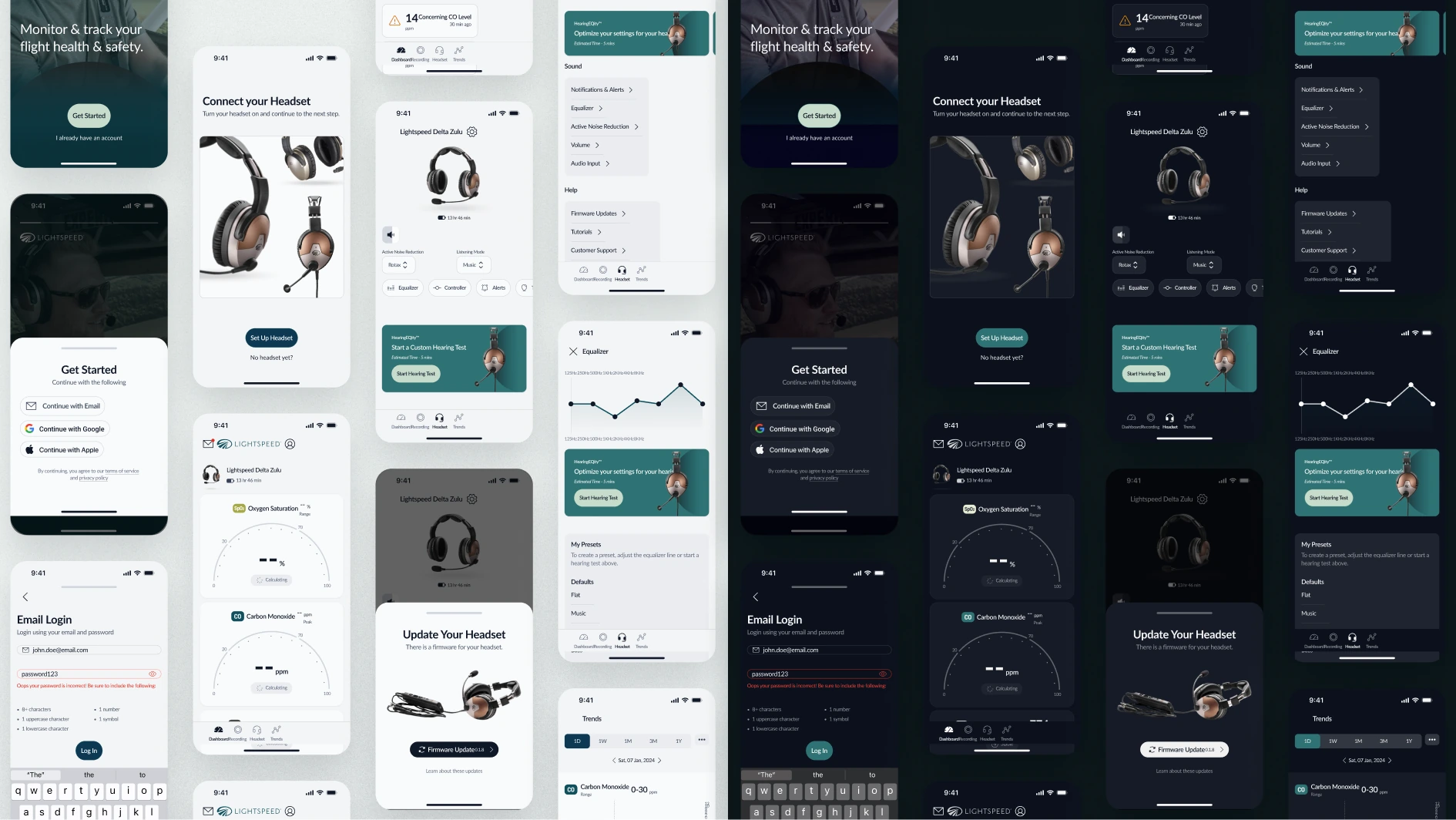
At the strategy walkthrough we presented two UI directions to show the range. One was light and familiar, with system icons and traditional charts. The other was bold and image-led, with full-bleed photos, custom icons and large type. We built on the first, with subtle colors that would hold up in dark mode, and carried the second direction’s pilot photo into the Get Started screen. Over two rounds of refinement with Lightspeed’s team, we dropped the dashboard’s trend lines so carbon monoxide and oxygen could read larger, gave oxygen the same weight as carbon monoxide, and simplified the themes to light and dark, dropping a dim in-between mode so we could dial in a dark mode that holds up at night.
Great product design is as much about restraint as invention. By listening to pilots before drawing a single screen, rallying Lightspeed’s team around three clear principles, and handing off a system built to grow, we gave a life-saving feature an experience worth coming back to.